
Akira Ransomware Binary Analysis
In this post, I'll be documenting the first part of my technical analysis of the Akira ransomware variant. I'll be using this report as my guide. The report is extremely thorough but not especially beginner-friendly. I aim to document how I arrived at similar conclusions and to expand on what we can take away from those findings. Rather than providing a complete or authoritative analysis, my goal is to show the learning process itself.
I also recommend these supplementary materials:
Reverse engineering plays an important role in digital forensics and vulnerability research. How can we dismantle malware, identify its weaknesses, and use that knowledge to develop effective defenses?
What is Akira?
According to SentinelOne, Akira ransomware operations were initiated in March 2023. Actors behind Akira practice multi-extortion tactics and host a TOR-based (.onion) website where victims are listed along with stolen data if a ransom demand goes unmet. The group is known for outrageous ransom payments reaching hundreds of millions of dollars.
Akira targets large enterprises across education, financial, manufacturing, real estate, and medical industries.
Deliverables
- Become familiar with Ghidra
- Demonstrate preliminary analysis
- Find points of interest
Setup
I'll be using a REMnux container via Docker on a Windows 11 machine. To run Ghidra from the REMnux Docker container, you'll need X11 forwarding:
# Linux/macOS
docker run -it --rm \
  -e DISPLAY=$DISPLAY \
  -v /tmp/.X11-unix:/tmp/.X11-unix \
  -v $(pwd):/samples \
  remnux/remnux-distro:focal \
  /bin/bash

# Then inside the container
ghidra
For Windows with WSL2: install VcXsrv or X410, start the X server, then set DISPLAY=host.docker.internal:0.
Download the Akira sample from MalwareBazaar. Once you've opened the file in Ghidra, we can get started.
1. PE Structure, Imports, and Strings
1.1 PE Structure
The Akira sample has a standard PE structure: .text, .rdata, .data, .pdata, .rsrc, and .reloc sections. Use the Memory Map tool in Ghidra to find them.
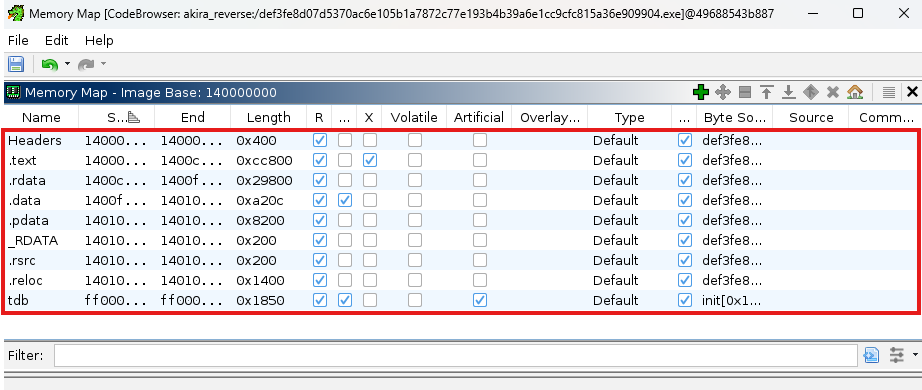
.text— stores executable code. The largest section; houses the ransomware logic..rdata— read-only data. Stores constant data like strings and, importantly, the RSA public key..data— initialized data. Think global and static variables..pdata— the exception table. Contains function entry and exception handling information..rsrc— resource directory tables: icons, strings, menus, images..reloc— the base relocation table.
Microsoft has extensive documentation on all of these here.
1.2 Imports
Imports tell us what Windows APIs the program uses. You can find imports in Ghidra under the Symbols Tree.
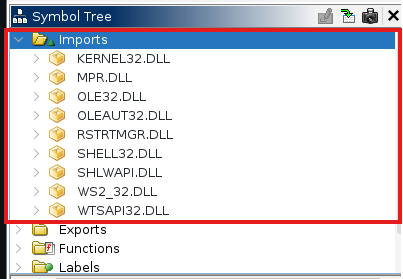
Notable imports:
shell32.dll— providesCommandLineToArgvWandShellExecuteW. Keep an eye out for PowerShell commands.kernel32.dll— the core Windows API. ProvidesCreateDirectoryW,CreateEventW,CreateFileW,DeleteFileW,TerminateProcess,WriteFile, etc.
Interestingly, there are no cryptographic libraries, which means Akira uses its own custom code for key generation. A custom key generation module might be something we can pick apart and try to find weaknesses in.
1.3 Strings
We can look at the Defined Strings panel to identify a few key strings.
powershell.exe -Command "Get-WmiObject Win32_Shadowcopy | Remove-WmiObject"at1400ddf10— Akira deletes shadow copies to prevent recovery.- The ransom note itself at
1400fb0d0:
"Hi friends,\r\nWhatever who you are and what your title is, if you're reading this it means
the internal infrastructure of your company is fully or partially dead, all your backups -
virtual, physical - everything that we managed to reach - are completely removed..."
The note instructs victims to contact the attacker via their TOR portal with a unique identifier to begin negotiations.

We can also find an interesting extension: .arika. A typo? Maybe. Other reports show .akira. Threat actors are human too.
Double-clicking on the misspelled extension leads us to a 2,165-line function — Akira's main encryption engine (FUN_1400b71a0). We'll cover this later.
2. Entry Point Analysis
We can use objdump to find the entry point address.

This is a Windows 64-bit executable with its entry point at 0x000000014008dd38. Let's find this in Ghidra.
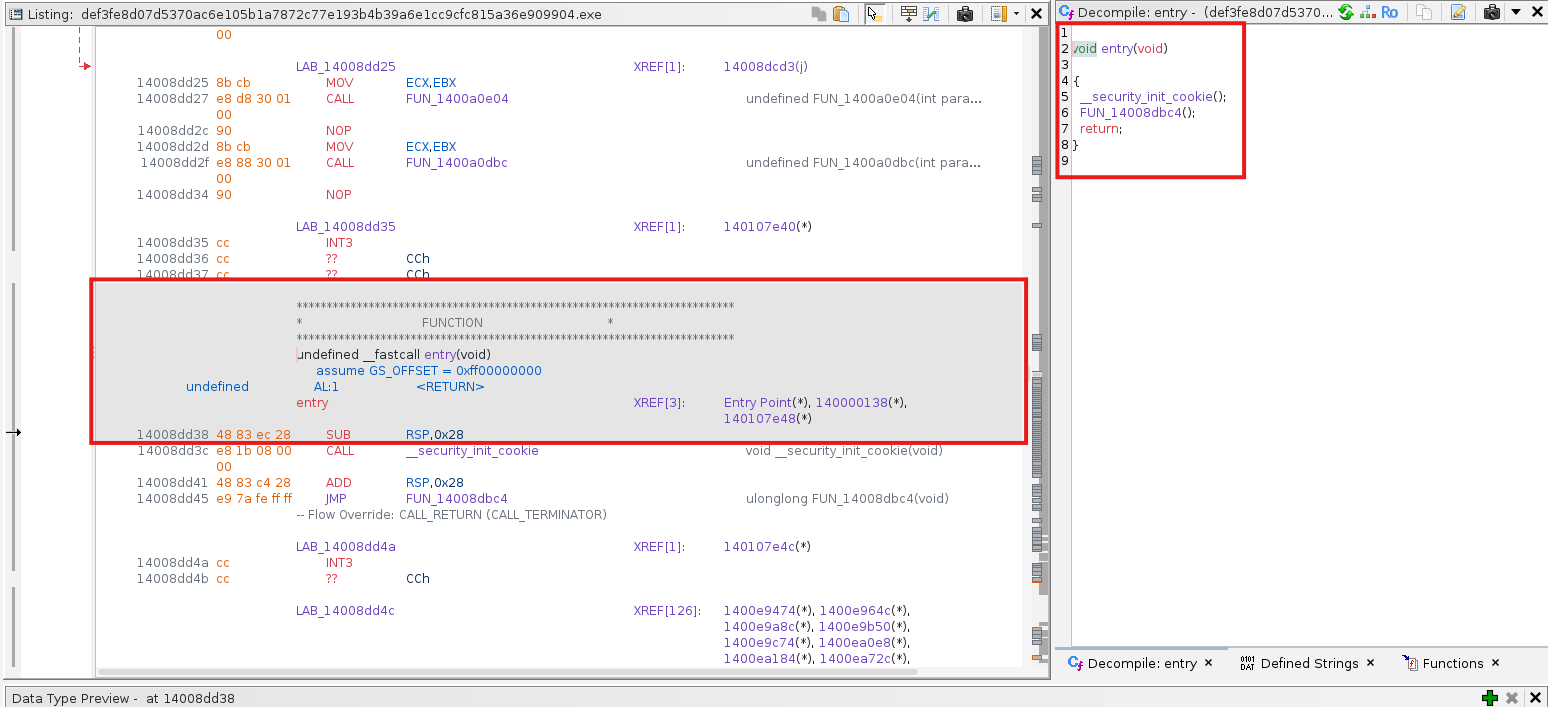
The entry point function is called entry, and contains two calls:
__security_init_cookie()FUN_14008dbc4()
2.1 __security_init_cookie()
According to Microsoft, the global security cookie is used for buffer overrun protection in code compiled with /GS. On entry to a protected function, the cookie is placed on the stack; on exit, it's compared with the global cookie. Any difference indicates a buffer overrun and causes immediate termination.
2.2 FUN_14008dbc4()
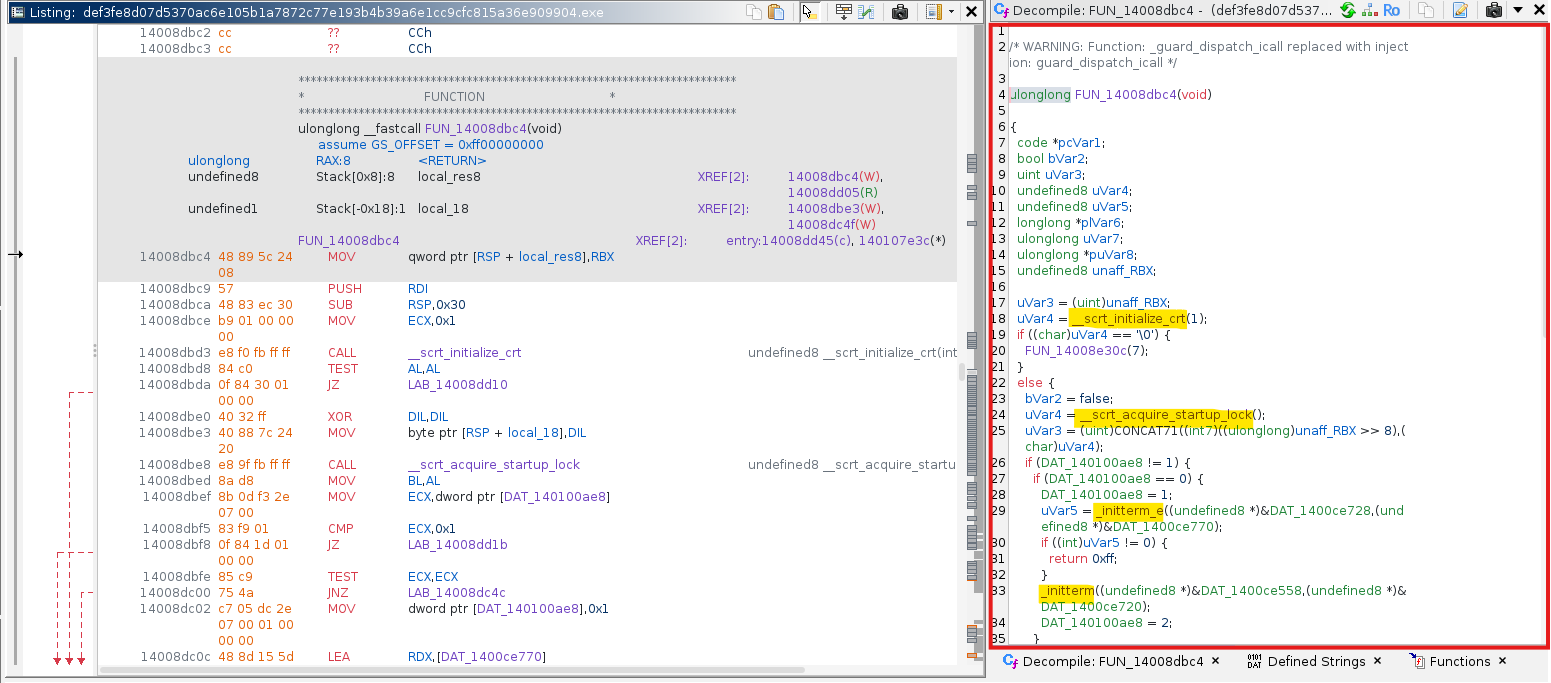
This function calls several non-stripped functions that we can Google:
__scrt_initialize_crt— initializes the C runtime library and sets up global variables and data structures used by the CRT.__scrt_acquire_startup_lock()— a startup lock; ensures at most one thread initializes at a time.
Full function code
ulonglong FUN_14008dbc4(void)
{
  code *pcVar1;
  bool bVar2;
  uint uVar3;
  undefined8 uVar4;
  // ...

  uVar4 = __scrt_initialize_crt(1);
  if ((char)uVar4 == '\0') {
    FUN_14008e30c(7);
  }
  else {
    bVar2 = false;
    uVar4 = __scrt_acquire_startup_lock();
    if (DAT_140100ae8 != 1) {
      if (DAT_140100ae8 == 0) {
        DAT_140100ae8 = 1;
        uVar5 = _initterm_e(&DAT_1400ce728, &DAT_1400ce770);
        if ((int)uVar5 != 0) return 0xff;
        _initterm(&DAT_1400ce558, &DAT_1400ce720);
        DAT_140100ae8 = 2;
      }
      __scrt_release_startup_lock((char)uVar4);
      __scrt_get_show_window_mode();
      _get_narrow_winmain_command_line();
      uVar3 = FUN_14004d2b0();   // <-- main()
      uVar7 = FUN_14008e49c();
      if ((char)uVar7 != '\0') {
        if (!bVar2) _cexit();
        __scrt_uninitialize_crt(true, '\0');
        return (ulonglong)uVar3;
      }
    }
  }
  // ...
}
_initterm_e and _initterm are C runtime functions that call constructors of global and static objects. Everything so far is startup/initialization code — which should eventually lead us to main().
Here's the execution flow from CRT entry to main():
┌─────────────────────┐
│      _start()       │  Program Entry Point
└──────────┬──────────┘
           │ Initialize environment, memory, etc.
┌──────────┴──────────┐
│  Calls constructors │  crti.o (Prologue)
└──────────┬──────────┘
           │ Jump to main()
┌──────────┴──────────┐
│       main()        │
└──────────┬──────────┘
           │ main returns
┌──────────┴──────────┐
│  Calls destructors  │  crtn.o (Epilogue)
└──────────┬──────────┘
           │ exit syscall
      ┌────┴─────┐
      │  OS Exit │
      └──────────┘
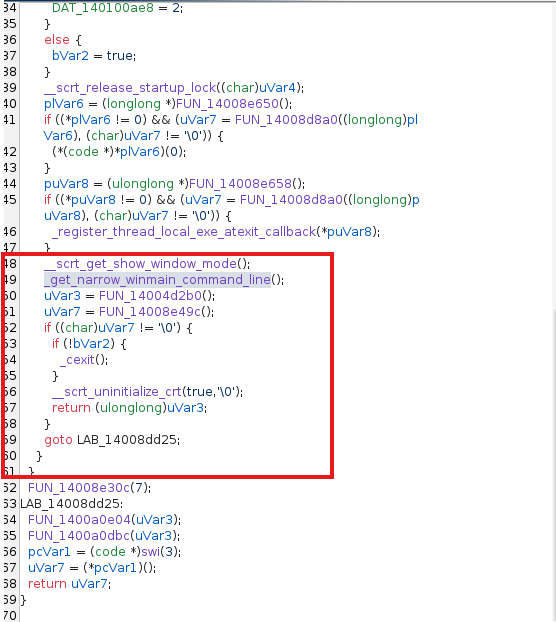
To find main(), look for where argument preparation ends. Right before FUN_14004d2b0() we see:
__scrt_get_show_window_mode();
_get_narrow_winmain_command_line();
uVar3 = FUN_14004d2b0();  // main()
Those two CRT calls prepare command-line arguments — and immediately after, __scrt_uninitialize_crt cleans up. FUN_14004d2b0() is our main().
3. Analyzing main()
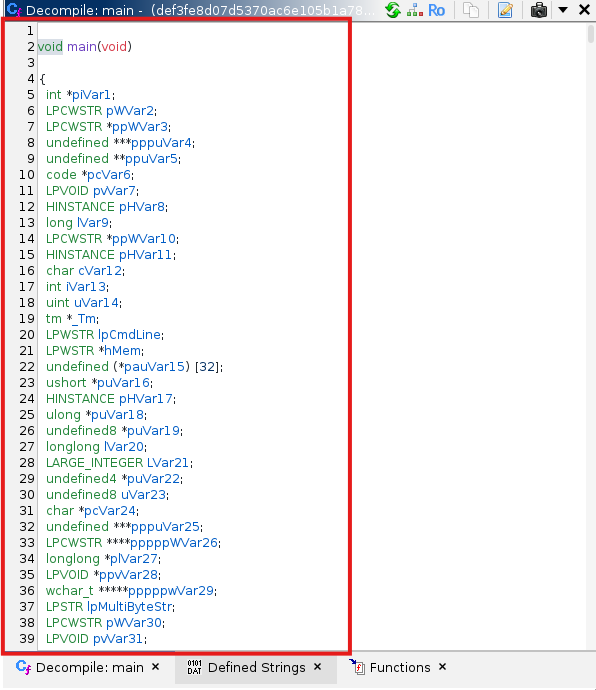
main() orchestrates the entire ransomware operation — around 1,360 lines. Let's break it into sections.
3.1 Initialization & Logging
The first ~233 lines are variable declarations, followed by log creation — formatting timestamps for what appears to be an execution log:
local_38 = DAT_1400f9368 ^ (ulonglong)auStackY_bb8;
_time64(&local_1e0);
_Tm = _localtime64(&local_1e0);
strftime(local_88, 0x50, "Log-%d-%m-%Y-%H-%M-%S", _Tm);
3.2 Command Line Parsing
lpCmdLine = GetCommandLineW();
hMem = CommandLineToArgvW(lpCmdLine, local_2c0);
if (hMem == (LPWSTR *)0x0) {
    FUN_1400376b0(&local_b70, "Command line to argvW failed!", 0x1d);
    ...
}
The arguments Akira accepts:
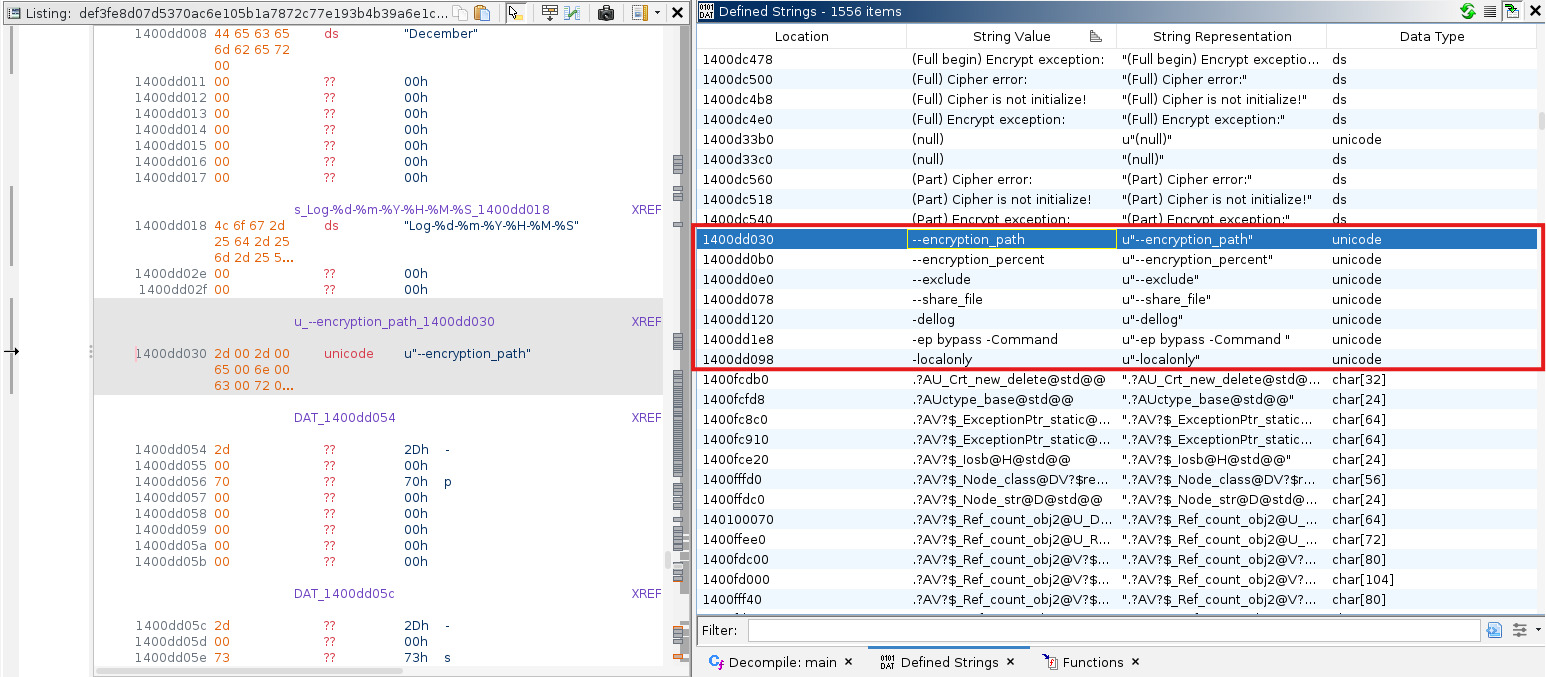
--encryption_path--encryption_percent--exclude--share_file-dellog-ep bypass -Command-localonly
3.3 Configuration Validation
If arguments were specified, they're validated here. Otherwise, Akira falls back to defaults:
// Default encryption percentage is 50%
if (encryption_percent_str != NULL) {
    encryption_percent = wcstol(encryption_percent_str, &endptr, 10);
    if (endptr == encryption_percent_str) encryption_percent = 50;
    if (*errno_ptr == ERANGE) encryption_percent = 50;
} else {
    encryption_percent = 50;
}

if (encryption_percent < 1 || encryption_percent > 100) {
    encryption_percent = 50;
}
3.4 System Enumeration & Thread Allocation
Around line ~700, Akira calls GetSystemInfo from kernel32.dll to count available CPUs and allocate encryption threads:
// Boost thread count for systems with few CPUs
if (cpu_count < 5) {
    if (cpu_count == 1) cpu_count = 2;
    cpu_count = cpu_count * 2;
}

// Allocate threads
folder_parser_threads = (cpu_count * 30) / 100;   // 30% for folder parsing
root_folder_threads   = (cpu_count * 10) / 100;   // 10% for root parsing
if (root_folder_threads == 0) root_folder_threads = 1;
encryption_threads    = cpu_count - folder_parser_threads - root_folder_threads;
3.5 Crypto Engine Initialization
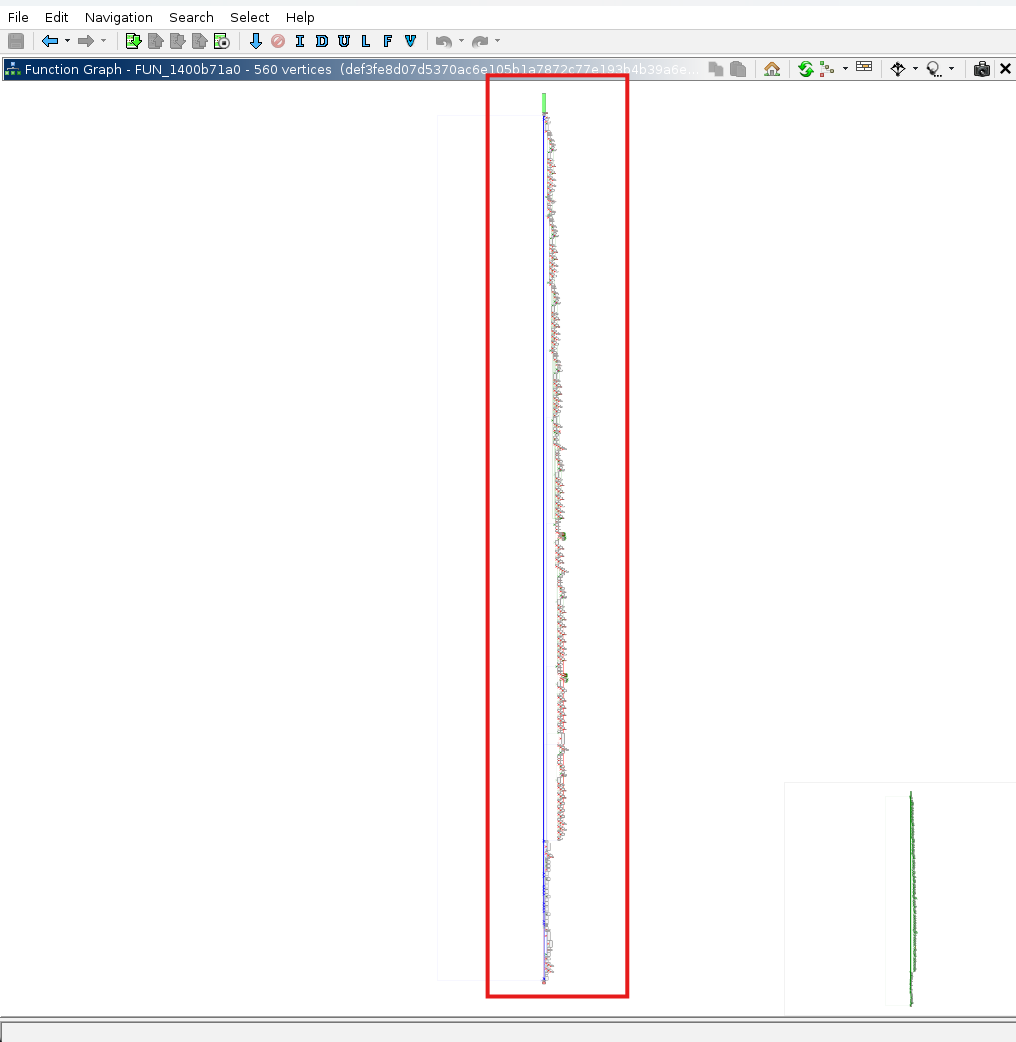
We'll tackle the cryptography in Part 2.
Conclusion
In this first part, we've mapped out the binary's structure and traced execution from entry point to the main encryption orchestration logic.
Key findings:
- Standard PE structure with a custom cryptographic implementation (no imported crypto libraries)
- Sophisticated multi-threaded architecture that dynamically allocates CPU resources
- Command-line argument parsing for operational flexibility
- Logging mechanisms for tracking execution
- Shadow copy deletion via PowerShell to prevent recovery
In Part 2, we'll dive into FUN_1400b71a0() — the 2,165-line encryption engine — and examine the custom crypto implementation, how the RSA public key in .rdata is used, the ChaCha20 stream cipher, and the file selection logic.
What's most interesting about Akira is that it implements its own cryptography without using standard libraries. This helps with obfuscation by preventing EDRs from intercepting API calls — but it also leads to implementation flaws, as we'll see soon.